



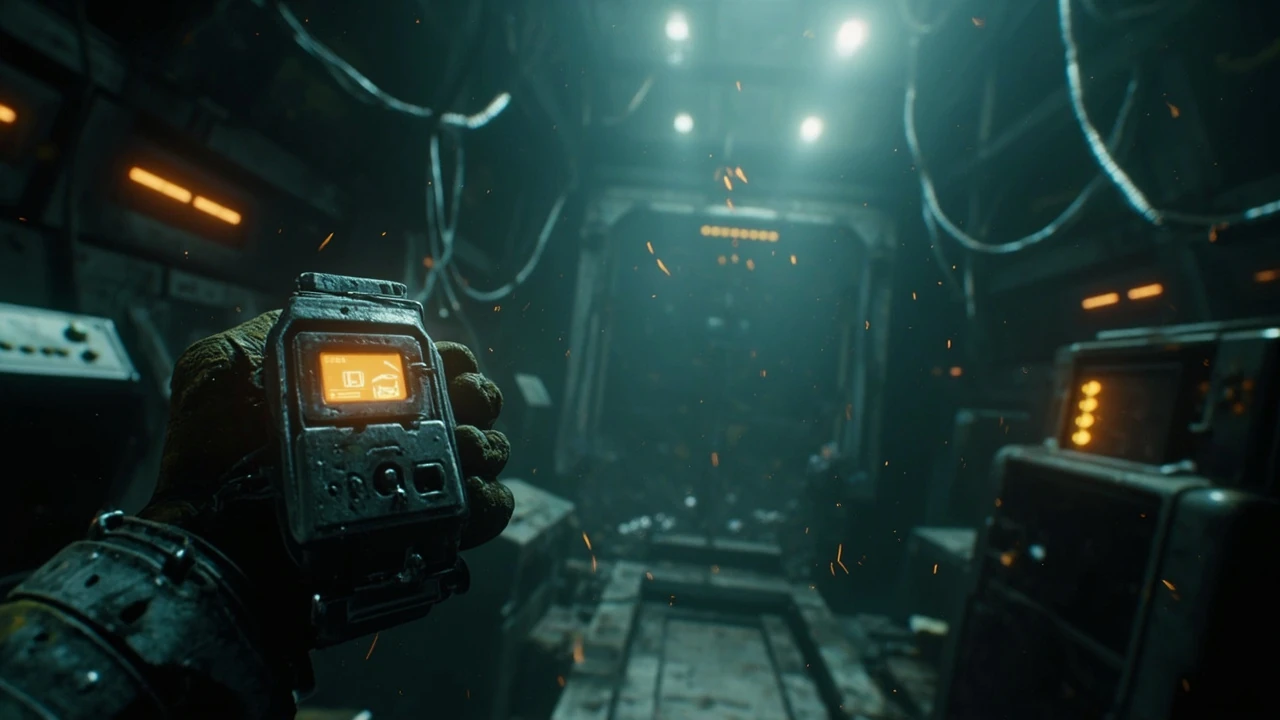

Power out in Arc Raiders: what the mechanic actually does to a raid
Dropping into a Raiders run only to watch your suit systems go dark mid-engagement is one of the more disorienting experiences in ARC Raiders, Embark Studios’ cooperative extraction shooter set on a hostile, machine-occupied Earth. When the power out state triggers, the player is suddenly cut off from a layer of survival tooling that the rest of the loop quietly depends on. The HUD dims, deployables stop behaving as expected, and the rhythm of a run changes from a careful tactical advance into a fight against time. For a player who only knows the genre from shooter lobbies, the moment can feel like the game has simply stopped working, when in fact the title is doing exactly what it was designed to do: turn a stable resource budget into an unstable one.
This guide focuses on what the power out state is, why it happens, how to recognise the early signs, and what the current build of the game offers for recovery. Because the title is still in active development through its technical test phases, the descriptions below lean on what Embark has publicly demonstrated and what can be observed in official previews rather than on a fully documented 1.0 feature set. Where the behaviour could still change before the next public test, that uncertainty is called out explicitly so a reader does not treat a preview mechanic as a permanent rule. Anyone planning to write a build guide for their squad should treat the specifics here as a snapshot rather than a contract.
For a broader look at the extraction-shooter design and how ARC Raiders positions itself against the genre, the Game Informer hands-on preview is the most detailed current write-up available, and the ARC Raiders Wikipedia entry tracks the project’s public milestones and platform plans. Both are useful for cross-checking what has changed between tests, especially when a patch note is vague.
What “power out” means in the current Arc Raiders build
In the build Embark Studios has shown publicly, the power out state is not a single failure mode. It is a catch-all for the moments when a player’s electrical backbone stops supporting the tools, lights, and deployables the rest of the loop assumes are available. In practice, that includes any combination of:
- Dimmed or fully disabled HUD elements tied to suit diagnostics and scanning
- Deployable equipment that requires a power source failing to activate or shutting down after activation
- Personal shield, stamina, or hazard tools entering a degraded mode
- Loss of access to base-of-operations conveniences such as fast travel, crafting, or workbench upgrades while a player is dead or waiting to redeploy
The phrase “power out” in community discussion tends to conflate three distinct technical realities: a per-player power failure inside a raid, an environment-level blackout inside a specific map region, and a wider system outage that affects the social hub, matchmaking, or progression services. The first is a gameplay event. The second is a designed hazard. The third is a backend issue. Conflating them is the main reason recovery advice online can sound contradictory, because the fix for a depleted personal power cell is not the fix for a regional breaker, and neither helps a player who is stuck on a login screen.
It is also worth being precise about what the power out state is not. It is not a death state. The player remains alive and can still move, shoot, and interact with the world, which is part of why the experience feels so frustrating: the avatar is fine, but the scaffolding around it has collapsed. It is also not a permanent debuff in the way a wounded condition is. With the right inputs, power can be restored mid-raid, and the rest of the run can continue as planned. Treating the state as a temporary crisis rather than a run-ending failure is the first habit that separates a squad that recovers from one that tilts.
Why the Arc Raiders power out state happens
Looking at the systems Embark has described and shown, power loss in ARC Raiders has several plausible triggers. They fall into three groups: player-driven causes, environment-driven causes, and service-driven causes.
Player-driven power loss
The first group is the one a player can do something about. The most common cause is running a loadout that demands more power than the suit, generator, or support deployables can provide. If you bring a heavy shield module, a long-range scanner, and a powered traversal tool on a starter-tier suit, the suit’s power budget can be exhausted before the run begins. When the budget empties, the last-equipped powered item is typically the first to drop, and the HUD reflects the loss with a darkened or absent icon. The fix is unglamorous: open the loadout screen, read the total power draw, and swap one high-cost item for a passive or low-cost variant. Most players discover this the hard way on a night run when their scanner goes dark and they cannot tell whether an ARC patrol is two corridors or twenty metres away.
A second player-driven cause is damage to powered equipment. If a shield or harness takes enough damage, it can enter a low-power or failed state until it is repaired at a station or replaced between runs. This is the power loss players are most likely to mistake for a bug, because the equipment still appears in the inventory but refuses to activate. The repair cost is real, and the time spent in the workbench is time not spent on the next run, which is a quiet form of progression tax that compounds across a session.
A third, less obvious player-driven cause is power bleed from deployed gear. A deployable that is left active in the world continues to draw from the squad’s shared power grid in some of the previews shown. A player who drops a sensor tower, a powered barricade, and a healing beacon in quick succession may find that the personal suit has nothing left to run a shield. The recovery is to manually deactivate deployables the squad no longer needs, rather than letting them idle in the background.
Environment-driven power loss
The second group is the designed environment. ARC Raiders takes place across a set of surface and sub-surface locations on Earth that are littered with dormant or active machines, called ARC. Certain rooms, corridors, and outdoor trenches shown in previews appear to have generator rooms, fuse boxes, or breaker panels that, once destroyed or overloaded, cut power to a section of the map. When this happens, lights die, doors may lock into an unpowered state, and any deployables that rely on a fixed power source in that area stop functioning.
This is the version of the power out state that is most interesting from a design perspective, because it ties power to a tactical decision. A team that aggressively overloads a generator room can force defenders in adjacent spaces to either retreat into the dark or burn resources to restore power. Defenders can choose to invest in tools that let them reroute or restore power quickly. That trade-off loop is one of the reasons Embark’s design lead has talked publicly about wanting extraction shooters to reward preparation rather than reflex alone. The same mechanic also gives stealth-oriented players a real lever: in a darkened section of a facility, a careful squad can move past patrols that would otherwise hear them coming.
It is worth noting that the environmental version of the power out state can be triggered by both players and ARC machines. A For additional context, heavy machine that lobs an arc charge into a breaker panel can wipe a section of the map just as effectively as a squad that decides to cut the lights on purpose. That overlap between PvE and PvP design is one of the more interesting wrinkles in the current build, and it is the kind of detail that shows up in the Game Informer preview more clearly than in the marketing material.
Service-driven power loss
The third group is the one players have the least control over. During the active technical test phases, the social hub, vendor terminals, and progression services are running on a live infrastructure that can be throttled, restarted, or patched. A “power out” notification that shows up while the player is in the hub rather than inside a raid is more often a backend issue than a gameplay one. These outages tend to be short, affect login or matchmaking rather than inventory, and resolve on the server side without the player needing to change loadouts. The right move during a service-driven outage is usually to wait a few minutes, check the studio’s status post, and avoid the temptation to spam-restart the client, which can complicate the recovery on the server side.
How to recognise a power out event before it ruins a run
The fastest way to recover from a power out event is to spot the early signals. The current build surfaces a handful of useful indicators:
- Shield or harness icons in the suit HUD shift to a darkened or amber state before going fully dark.
- Scanners and recon tools start returning partial data, with delayed pings or no contact readout on enemies that should be visible.
- Audio cues change: powered equipment tends to drop its hum a few seconds before the visual UI confirms the loss.
- Deployables in the world go from solid green or blue to a flashing red before they shut down entirely.
- The minimap or local radar stops drawing in new data even when the player moves into a previously mapped area.
- Voice lines from the support AI or squadmate start referencing low power before the HUD agrees with them.
Players who treat any two of these as a single “about to lose power” signal tend to recover faster than players who wait for a full blackout. The reasoning is straightforward: most recovery actions take time, and a player who begins them while the HUD is still legible will finish them while they still know where they are. Waiting for a full blackout is a common error in coordinated squads too, because the player who notices the warning is often the one who is supposed to be holding a flank, and announcing the problem over voice chat can be more disruptive than the problem itself. A simple team call of “power dipping” is enough to let the rest of the squad begin pre-agreed recovery steps without losing map control.
Immediate recovery options during a raid
Once a power out event is in progress, the recovery ladder depends on whether the loss is local to the player, local to a section of the map, or service-wide. The next table summarises the most useful mid-raid options available in the build Embark has shown.
| Recovery action | What it solves | When to use it | Cost or trade-off |
|---|---|---|---|
| Switch to a passive loadout slot | Restores minimal HUD and movement, sheds heavy draw | First sign of shield or harness loss | Lose access to high-draw tools for the rest of the raid |
| Use a personal power cell from inventory | Temporarily restores one powered device | When one tool, such as a scanner, has gone dark | Consumes a rare consumable that could be used later |
| Reposition to a generator room or breaker panel | Restores environment power for the area | When lighting, doors, or area deployables are dark | Exposes the player to ARC and other squads in a known landmark |
| Call in a teammate with a support class loadout | External power supply, repair, or reroute | When the team is large enough and communication is clear | Splits the squad, may pull a teammate out of a flanking position |
| Cut the run short and extract | Preserves inventory and loadout investment | When multiple tools are dark and the squad is far from the extract | Forfeits any loot gathered in the run |
| Wait out the outage in cover | Recovers from a backend or environmental flicker | When the loss is short and there is no clear repair | Wastes time, may attract ARC attention |
| Drop a redundant deployable and recycle it | Frees a small amount of power for the personal suit | When the squad has more deployables than the grid can support | Loses the tactical benefit of the dropped deployable |
The key design point is that each of these actions costs something. A power cell used to recover a scanner early in a raid is not available for a shield restore in the final extract corridor. Teams that pre-agree on a recovery order before the run starts tend to lose less total capability than teams that improvise under pressure. A simple pre-raid checklist, even one agreed in a voice channel two minutes before deployment, tends to outperform any in-the-moment decision when the lights go out.
Preventing a power out before the raid begins
Most of the worst power out experiences in ARC Raiders are not surprises. They are the predictable result of a loadout that is heavier than the available power budget or a route plan that ignores the location of generator rooms. The prevention checklist below is a useful starting point for any run that matters.
- Open the loadout screen and read the suit’s total power budget, not just the per-slot numbers.
- Audit which equipped items are “high draw” and consider whether any of them can be swapped for a passive or low-draw variant.
- Confirm the squad has at least one member running a support class with a power-restore tool, especially for longer or night-time runs.
- Study the map before deploying and mark generator rooms, breaker panels, and known dark zones.
- Carry one or two personal power cells in the backpack for emergencies, even if they displace a low-priority stack of ammo.
- Plan a backup extract route that does not depend on a powered door or lift.
- Agree on a recovery order with the squad, including who carries the spare cells and who calls the extract.
- Test the loadout in a low-stakes run before committing it to a high-value mission.
None of these checks guarantee a clean run. They do, however, give a squad a clear plan when a power out event hits, which is the difference between a recoverable setback and a lost loadout. The cost of the checklist is a few minutes in the hub. The cost of skipping it is usually a loadout, a repair bill, and a frustrated squad waiting on the respawn timer.
How the power out state interacts with the rest of the extraction loop
Understanding why the power out state feels so disruptive requires looking at how the rest of ARC Raiders‘ loop is built. Embark’s design has been publicly described as an extraction shooter with a strong base-building and social layer. The loop roughly looks like this:
- Prepare in the social hub: review missions, craft consumables, upgrade the base, choose a loadout.
- Drop into a hostile surface or sub-surface location with a small squad.
- Scavenge, fight ARC machines, and contest resources with rival players.
- Extract with whatever loot the squad can carry, or lose it all on death.
- Return to the hub, spend or stash loot, repair and upgrade gear, and plan the next run.
Power sits at the centre of several of those steps. The hub has terminals and crafting stations that draw on a shared power grid. The loadout screen reports a power budget per suit. In-raid equipment, from shields to recon tools to deployable cover, all consume power. When a power out event interrupts any one of those steps, the rest of the loop is forced to adapt on the fly. A player who loses a run to a power out event does not just lose the loot from that run. They also lose the time the squad spent preparing, the consumables that were burned, and the morale that carries into the next drop.
That cascading cost is the real reason the power out state draws so much community attention. In a genre where every run is a small economic transaction, a mechanic that breaks the transaction mid-stream is going to be talked about. The Game Informer hands-on piece is a useful reference for how this loop feels in motion and where the power out state most often shows up. Players who want a more technical breakdown of the project, including studio history and platform plans, can read the ARC Raiders overview on Wikipedia as a starting point.
Comparing power out in Arc Raiders to similar mechanics in other extraction shooters
Power loss is not unique to ARC Raiders. Several extraction and survival shooters use a power mechanic to create tactical choices. The next table compares the power out behaviour in ARC Raiders to the closest analogues in the genre, based on what each studio has shown or shipped publicly. It is not a ranking, and the columns reflect design intent, not quality.
| Title | Power mechanic | Player impact | Recovery hook | Design intent |
|---|---|---|---|---|
| ARC Raiders | Per-suit power budget, area blackouts, occasional service outages | Disables HUD tools, shields, and deployables; can lock map features | Personal power cells, generator rooms, squad support classes, extraction | Reward preparation and resource trade-offs across the squad |
| Hunt: Showdown | No direct power mechanic; consumable tools run on charges | Tools such as the dark sight or choke bombs run out mid-fight | Buy more consumables in the lobby, restock at supply points in-match | Tighten the resource budget so every tool use is a decision |
| Escape from Tarkov | Generator power for hideout modules and some in-raid features | Hideout crafting stalls or speeds drop when generators are off | Restore generator fuel, upgrade the hideout, queue crafts offline | Make hideout management a long-term project that rewards consistent play |
| Cycle: Frontier | Power for shields, gear, and the dropship | Shields fail mid-fight, dropship calls can be denied if power is low | Collect power cells in-raid, manage inventory slots, retreat to safer zones | Force extract decisions based on remaining power, not just loot weight |
| Marathon (Bungie) | Power budget for abilities, weapons, and deployables | High-draw abilities shut down if the budget is overdrawn | Modular loadouts, in-field cells, squad support | Tie every fight to a power economy the squad has to manage in real time |
The pattern is consistent. In each case, power is not a decorative HUD number. It is a budget the player is expected to spend, conserve, and occasionally be forced to recover from. What differs is where the recovery hook lives. In ARC Raiders, recovery tends to be a mid-raid action with a meaningful cost, which is consistent with the broader emphasis on the loop being a tactical decision engine rather than a pure PvP duel. The Trade-Off in each title is also slightly different: Hunt makes the cost about consumable scarcity, Tarkov makes it about long-term hideout investment, and the Cycle ties it to the extract decision itself. ARC Raiders lands closer to Marathon in spirit, with a per-suit budget that can be overdrawn in a single engagement.
Common mistakes players make when the power goes out
Across the public hands-on coverage, a few mistakes show up often enough to be worth naming:
- Treating every dark icon as a bug and restarting the client before checking the in-raid recovery options.
- Holding on to a fully dead high-draw tool because the inventory slot is “free,” which leaves the suit drawing power from an item that contributes nothing.
- Ignoring generator room noise and visual cues, then being surprised when a section of the map goes dark and a door locks behind the squad.
- Spending the last power cell on a low-value scanner, then having nothing left for the extract corridor where shields matter most.
- Calling a power out event a “server issue” when it is actually a per-player loadout problem, which prevents the player from fixing the real cause for the next run.
- Failing to brief the squad on which teammate is carrying the spare cells, so a second player burns their own backup on the same problem.
- Chasing a power restore deep into a contested area when the safer play is to extract with what the squad already has.
The throughline in every case is that the player optimised for one goal, usually loot or speed, and did not leave a buffer for the moment the systems underneath that goal failed. A squad that runs every extract with a small power reserve, in cells or in a backup loadout slot, tends to lose fewer runs to power out events than a squad that goes all-in every drop. That buffer is not free: it costs inventory space, and inventory space is the scarcest resource in any extraction shooter. The trade is worth it for any squad that runs more than a handful of raids a week.
How to read official updates about the power out state
Because the game is still in a public testing window, any description of the power out state is a moving target. Patch notes and developer posts are the most reliable signals. When reading them, it is worth separating the categories of change rather than treating them as a single stream:
- Balance changes to the power budget, often expressed as a percentage or a per-slot number.
- Bug fixes that re-enable a piece of equipment that was previously stuck in a powered-off state.
- Backend stability work, which can look like a “power out” from the player’s side but is actually a server or matchmaking issue.
- New content that introduces a new powered device, generator room, or dark zone, which expands the system rather than rebalances it.
- QoL changes that affect how power information is displayed, such as clearer warnings or a power overlay on the HUD.
Reading each category on its own terms makes it easier to decide whether a change affects the next raid immediately, the next loadout pass, or the next session only. Treating all four as the same kind of update is one of the fastest ways to misread what a patch actually did. A balance change to the power budget, for example, is a reason to revisit the loadout screen before the next drop. A backend stability note is a reason to wait ten minutes before logging in. Confusing the two leads to either a wasted loadout pass or a missed play window.
Long-session habits for squads that hit power out events often
For squads that play across multiple sessions in a single week, power out events tend to cluster in predictable ways. The first cluster happens in the first run after a patch, when loadouts have not been retuned to the new numbers. The second cluster happens late in a session, when players are tired and stop checking their power draw. The third cluster happens during contested events, when multiple squads are pushing the same objective and the map’s power grid is being stressed by everyone at once.
A squad that wants to reduce its exposure to all three clusters can adopt a few simple habits. Re-audit loadouts after every patch, even the ones that look minor. Schedule a five-minute break at the halfway point of a long session, and use the break to check the support class loadout that has been quietly bleeding power. During contested events, treat the generator rooms as the chokepoint they actually are, and pre-position a support player near the nearest breaker panel. None of these habits require new tools. They require a squad that is willing to treat the power out state as a real system rather than a quirk, and to plan around it accordingly.
What this means for design learners and studios watching the loop
For developers and designers reading the power out system as a case study, the interesting decisions are not the power budget numbers. They are the choices Embark has made about how power failure is communicated, what the recovery ladder costs, and how the system ties into the broader loop. A few lessons stand out:
- Mechanical failure is a feedback problem first. The HUD, audio, and world lighting all have to agree that power is failing, or players will read the silence as a bug.
- Recovery is a resource problem second. A power out event that costs the player nothing is not really a failure, and one that costs everything is just punishment. The interesting design lives between those extremes, which is where ARC Raiders has positioned its recovery ladder.
- Power is a connective tissue third. The same word covers hub crafting, in-raid tools, and live-service infrastructure. Naming those three things clearly in patch notes and design discussions is what stops the community from conflating them.
- Failure states benefit from being learnable. A player who survives a power out event once should walk away with a clearer mental model of what happened. A player who survives one and is still confused has been failed by the feedback, not by the design.
For studios working on similar systems, the takeaway is that a power mechanic pays off when it is honest about the trade-off it is asking the player to make. ARC Raiders is a useful example because the system is still being tuned in public, and the changes between tests are visible in a way that shipped titles rarely offer. Studios that want to study the system in motion can compare two consecutive test patch notes and see exactly which numbers moved and which behaviours shifted as a result. That kind of transparency is rare in the genre, and it is one of the reasons the project has drawn design attention beyond its player base.
Frequently asked questions
Does the power out state in Arc Raiders mean the whole game is down?
No. The power out state inside ARC Raiders usually refers to a per-player or per-area failure of the in-raid power system that drives shields, recon tools, and deployables. A full outage of the game’s services, including the social hub, matchmaking, and login, is a different category of issue and is reported separately by Embark Studios through the official channels.
What is the fastest way to recover from a power out during a raid?
The fastest reliable recovery is to switch the loadout to a passive slot so the suit stops drawing from disabled high-draw items, then use a personal power cell from the inventory to bring one critical tool, usually the scanner or shield, back online. If the loss is environmental, the next step is to reposition to a generator room or breaker panel, which restores power to the area at the cost of exposing the squad.
Can the squad share power or cells in Arc Raiders?
Based on the previews and hands-on coverage, the game supports squad-based play, and support class loadouts can extend or reroute power to teammates. Personal power cells are tied to inventory, however, and a player cannot simply hand one to a teammate without dropping it as a world item first, which is a deliberate trade-off to keep the resource budget honest.
Will a power out event cause me to lose my loot?
Only if the power loss contributes to a death or a failed extract. The power out state itself does not destroy inventory. It disables the tools that help a player survive long enough to extract. The risk of losing loot is indirect, and it grows as the run progresses and the player’s resources thin out.
How do I tell the difference between a power out event and a backend outage?
A power out event inside a raid usually shows up as a dimmed HUD, silent powered equipment, or darkened environment lighting, all of which the player can react to. A backend outage typically shows up as a login failure, a stalled matchmaking queue, or a hub terminal that refuses to respond, none of which are caused by the player’s loadout or environment.
Does the power budget change between Arc Raiders tests?
Yes. Embark Studios has used the public technical test windows to rebalance the per-suit power budget, the draw cost of individual items, and the recovery options available during a run. Patch notes for each test are the most reliable source of what changed and why, and they are worth reading before committing to a long session.
Should I prioritise shields or scanners when allocating power?
It depends on the run. For a quiet scavenging route, a scanner tends to provide more value per watt because it prevents avoidable fights. For a contested extract corridor, a shield tends to provide more value because the player is more likely to take burst damage. Most players carry one strong tool and one utility tool, and rotate the priority based on the map and squad composition.
Can I extract during a power out in Arc Raiders?
Yes, and in many cases the safest response to a power out event is to extract. Extraction does not require powered equipment, only a clear route to the extract point and enough health to survive the trip. Cutting a run short is a legitimate recovery option, not a failure, and the design of the loop explicitly rewards players who know when to leave.
Why does my shield sometimes stay dark even after I swap cells?
If a piece of equipment has taken enough damage, it can enter a failed state that requires repair at a workbench, not just a fresh power cell. The cell restores power, but it does not restore the structural integrity of a damaged device. This is one of the more common reasons players mistake a power out for a bug.
Where can I follow official Arc Raiders power out changes?
Embark Studios publishes the most reliable updates through its official channels, including the studio’s news posts and patch notes for each technical test. Community write-ups, including the Game Informer hands-on preview and the Wikipedia overview, are useful for context but are not a substitute for the official notes when a specific balance number has changed.
Leave a Reply