



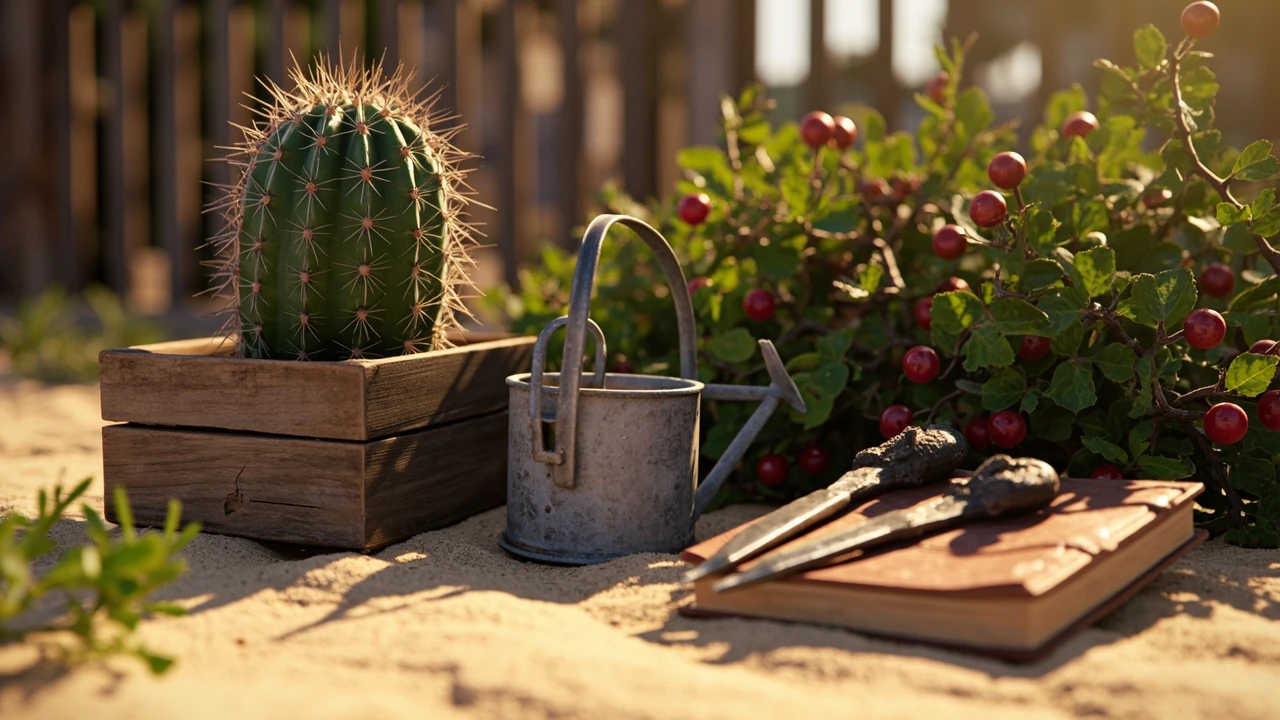

Prickly fruits in Grow a Garden: how the thorny crops actually work
A surprising share of mid-game progress in Grow a Garden, the Roblox farming sim built by a young solo developer, depends on plants that fight back. Cacti, brambles, thorned berries, and similar defensive crops sit behind some of the largest payoff spikes in the economy because their harvests are riskier to gather, slower to mature, and disproportionately affected by the game’s mutation system. Understanding prickly fruits in Grow a Garden is less about memorizing a list and more about reading how the game layers risk, patience, and reward around a single design idea: a crop that hurts you a little when you try to take it home.
This guide breaks down the mechanics, the harvest rules, the mutation interactions, and the design patterns that make thorned crops feel different from regular plants. It is written for Roblox players who want a reliable farming plan and for GameDev readers who want to see how a simple, well-tuned friction layer shapes an entire player economy.
What counts as a prickly fruit in Grow a Garden
The phrase “prickly fruits” is a community shorthand, not a single item. It covers every crop whose model is built around spines, thorns, needles, or sharp husks, and whose harvest interaction adds an extra step the player has to learn. The exact roster has expanded since the game first trended, but the design role is consistent: prickly fruits are the crops that test whether the player has built up the right tool, the right pet, and the right timing before they can convert the plant into sellable inventory.
In practice, players tend to group the following families together when they talk about prickly fruits in Grow a Garden:
- Desert cacti: tall columnar or barrel cacti that produce fruit after a long growth cycle and require specific tools to harvest without losing yield.
- Bramble bushes: low, sprawling bushes covered in thorns that drop clusters of small berries and interact heavily with the mutation system.
- Thorned gourds and melons: large fruit with hard, ridged rinds that visually echo real-world horned melon or prickly pear species.
- Spiny succulents: smaller ornamental crops whose harvested items still count as fruit for cooking and mutation purposes.
These categories share three traits. They look defensive. They punish impatient harvesting. And they tend to benefit more than ordinary crops from the game’s higher-tier mutations. That combination is what makes them feel like a separate progression track rather than a cosmetic variant.
One thing worth noting is that “prickly” in this community context is broader than the word suggests. It does not only mean plants that prick a real-world gardener. It includes any crop that has been given a defensive, sharp-edged model and a delayed harvest animation, even if the underlying fruit is soft. A spiny succulent, for example, looks dangerous but drops a small, soft fruit; the difficulty is in the harvest, not in the produce. Keeping that distinction in mind helps avoid the common mistake of assuming that all thorned plants drop the same kind of item.
How thorned crops are designed to slow the player down
Most farming simulators optimize for throughput: plant, water, harvest, sell, repeat. Grow a Garden deliberately breaks that loop for prickly fruits. The defensive model is the visual cue, but the real mechanic is layered on top of the standard growth cycle as a small, repeatable tax. When you approach a fully grown cactus or bramble, the harvest action takes longer, the success window is narrower, and the base yield without any modifier is intentionally lower than for an equivalent non-thorned crop of the same tier.
This design choice is a textbook example of friction as a balancing tool. The developer does not need to nerf the crop’s sell price to keep prickly fruits from dominating the economy, because the harvest interaction itself caps how many units a player can extract per minute. Players who solve the friction through better tools, better pets, or better timing get a bigger effective yield, and that is where most of the long-term progression sits.
For GameDev readers, the relevant lesson is that “harder to harvest” can substitute for “lower sell price” without making the crop feel punitive to newcomers. New players still see the cactus fruit eventually; they just see less of it per harvest until they invest in mitigation. That distinction matters in a free-to-play Roblox economy, where harsh sell-price nerfs tend to push players away, while soft friction tends to feel like a goal to work toward.
Growth cycle, watering, and weather interactions
Every crop in Grow a Garden sits on a shared growth pipeline, but prickly fruits stretch the early and middle stages more than leafy vegetables do. A cactus that visually reaches maturity may still need an extra watering pass or a specific weather event before it counts as fully ready for harvest. Brambles behave similarly: their berries ripen in waves, so a single bush can be partially harvested several times rather than cleared in one go.
Watering prickly fruits is mostly the same as watering any other crop, with two practical differences. The growth timer for a cactus does not speed up as much per watering as it does for a carrot or a tomato, because the base timer is already long. The growth timer for a bramble, on the other hand, responds more strongly to consistent watering, because bramble berries are designed to be picked repeatedly and the game wants players to keep coming back.
Weather events in Grow a Garden tend to favor prickly fruits in a subtle way. Hot, dry conditions slightly accelerate desert cacti and can add a small bonus to their eventual yield. Cold snaps slow brambles and can knock berries off if the player does not act. Players who learn the local weather pattern can align their planting schedule so that cacti mature during a heat streak and brambles mature during milder weather, which is the first real optimization layer the game offers.
One subtle quirk that the community has picked up on is that the watering responsiveness of a prickly fruit can be tied to how recently the plot was tilled. Plots that have been idle for several real-world days seem to absorb water more slowly on the first pass, which delays the growth of any prickly fruit planted there. Players who rotate their plots and keep soil active tend to see faster cactus growth than players who abandon a plot and come back to it later. It is not a documented rule, but it shows up often enough in shared replays that experienced farmers plan around it.
Harvesting prickly fruits without losing yield
The most common failure mode for new players is to treat a cactus or bramble like any other plant and just spam the harvest action. That works, but it leaves a lot of value on the table. There are three meaningful levers for harvesting prickly fruits in Grow a Garden: tools, pets, and timing.
Tools that change harvest behavior
The tool tier a player brings to a prickly fruit crop changes two things: how long the harvest animation takes, and how much of the potential yield is actually captured. Lower-tier tools work, but they extend the harvest window and reduce the percentage of fruit that drops, because the game models the spines and thorns as actively interfering with the action. Higher-tier tools, including the pruner-class tools that the community refers to as “glove” tools, shorten the animation and lift the capture rate back toward the crop’s theoretical maximum.
The cost curve for tools is steep enough that most players do not replace their harvester until they have a stable income from other crops. That is intentional. The developer wants prickly fruits to feel like a goal the player is working toward, not a default choice from minute one.
A practical detail that does not get enough attention is tool durability. Higher-tier harvesters do not just lift the capture rate; they also tend to lose durability more slowly per prickly fruit interaction, which is the developer’s way of making the upgrade feel like a real economy shift rather than a flat number boost. A player using a mid-tier pruner on a full cactus plot will notice that their tool holds up across several sessions, while a player using a low-tier tool will burn through durability long before the plot is cleared.
Pets and companion bonuses
Companion pets in Grow a Garden apply small passive modifiers to nearby crops. Several pets in the higher tiers have effects that target thorned plants specifically, raising the capture rate during harvest, slightly extending the window during which a fully grown cactus can be picked, or adding a small chance of an extra fruit drop. None of these bonuses are large enough to skip the tool upgrade entirely, but the difference between harvesting with and without a relevant pet is noticeable on long sessions.
For GameDev readers, this is a clean example of stacking modifiers. The tool handles the deterministic part of the yield curve, the pet handles a small stochastic bonus, and the mutation system handles the explosive upside. Each layer is small on its own, but together they let the developer scale prickly fruit value across a wide range of player progression without changing the base crop.
One thing worth being honest about is that pet bonuses are not always well documented in the in-game UI. Some of the strongest thorn-specific pets are introduced in limited events, and the only reliable way to know what they do is to watch community breakdowns after each update. Players who treat the pet roster as static tend to miss out on the strongest combinations, especially during the first weeks after a new pet is added.
Timing and the patience window
Every prickly fruit has a short “patience window” after it reaches full maturity. Harvesting inside that window gives the full base yield. Harvesting after the window closes still works, but the yield drops and the crop enters a slower regrowth phase. The window is long enough that it is rarely the deciding factor, but players who log in once a day will sometimes see their best cactus silently slip out of its peak window because they were not online. This is one of the game’s quietest progression traps and one of the most common reasons new players think prickly fruits “don’t pay off.”
The patience window also interacts with the time of day inside the game. Crops that reach maturity late in an in-game day tend to keep their window open through the rollover, while crops that mature mid-day close their window faster. Players who plant in batches timed to the in-game clock report a noticeably better average yield than players who plant whenever they happen to log in, which is one of the small, repeatable optimizations that separate casual growers from serious farmers.
Mutations and why prickly fruits scale harder than other crops
Mutations are the variance layer of Grow a Garden. A mutation can multiply the value of a single harvested fruit, and the most valuable mutations in the game can turn a routine harvest into the player’s biggest sale of the week. Prickly fruits are not the only crops that can mutate, but they receive a disproportionate share of the high-tier outcomes because of how the game’s mutation probabilities are tuned.
The simplest way to think about it is that mutation rolls are partly weighted by the crop’s base difficulty. A carrot and a cactus can both roll the same mutation, but the cactus starts from a lower base value, so the same multiplier produces a much larger absolute swing. The developer is essentially using prickly fruits as a “lottery surface” where the variance is high but the floor is still respectable, because the harvest friction prevents players from spamming rolls.
From a player perspective, the practical consequence is that a single mythic-tier cactus harvest can fund a full plot expansion, while a mythic carrot is a nice surprise but rarely changes the player’s economy on its own. That asymmetry is what makes prickly fruits the natural focus for end-game farming plans, even though they are not the fastest crops to grow.
Table: base growth and harvest profile of common prickly fruits
The numbers below are rounded ranges based on the kinds of values the community tracks for prickly fruits in Grow a Garden. They are not pulled from a single live API, because the game does not expose one, and they should be read as a planning aid rather than an exact spreadsheet.
| Crop family | Typical growth time | Harvests per plant | Base yield per harvest | Tool tier needed for full yield |
|---|---|---|---|---|
| Desert cactus | Long | One main harvest, occasional secondary fruit | Small to medium | Mid to high |
| Bramble bush | Medium | Multiple, in waves | Small, but stacks across waves | Low to mid, but high tier lifts capture rate |
| Thorned gourd or melon | Long | One main harvest | Medium to large | Mid to high |
| Spiny succulent | Short to medium | Multiple | Small | Low, but mutation scaling matters more than tool tier |
The pattern is consistent. The longer and harder a prickly fruit is to grow, the more it depends on tool tier and mutation luck to reach its ceiling. Shorter-cycle thorned plants trade raw yield for repeatability and let mutation variance do most of the work.
It is also worth pointing out that the table hides an important behavior: the interaction between harvest count and mutation probability. A bramble that can be harvested four or five times in waves is not just four or five times the base yield; it is four or five independent mutation rolls. That is part of why brambles show up in the most successful late-game farming plans, even though their per-harvest base value is lower than a cactus’s. They trade peak size for the number of times the player gets to spin the mutation wheel.
Table: mutation tier and how it tends to interact with prickly fruits
| Mutation tier | Typical visual cue | Effect on prickly fruit value | Risk if harvested too early |
|---|---|---|---|
| Common | Slight color or glow shift | Small multiplier, useful for steady income | Low |
| Uncommon | Stronger color shift, occasional particle effect | Modest multiplier, noticeable on cactus and gourd harvests | Low to moderate |
| Rare | Distinct glow or pattern, often tied to weather | Large multiplier, can define a session’s economy | Moderate, because rolling again is unlikely |
| Mythic | Multiple stacked effects, animated aura | Extreme multiplier, often the player’s largest single sale of the week | High, because the crop is unlikely to roll mythic twice in a row |
The risk column is the part most casual guides skip. Prickly fruits make mythic rolls more rewarding precisely because they are harder to re-roll. A player who pulls a mythic cactus has very little chance of seeing another one in the same window, so the temptation to gamble on a slightly better timing or a slightly better tool is real, and the cost of misjudging it is high.
A useful way to think about the table is as a trade-off between volatility and reproducibility. Lower-tier mutations show up often enough that a player can plan around them, while mythic outcomes are best treated as a windfall that funds a specific upgrade rather than a long-term income source. Players who plan their tool and pet upgrades around the more common mutation tiers, and treat mythic outcomes as a bonus, tend to have a steadier economy than players who chase only the top of the table.
Reading the in-game signals around prickly fruits
Three signals tell you whether a prickly fruit crop is worth a focused session. None of them is labeled explicitly in the UI, which is why the community treats them as a shared skill.
- Soil color and texture around the base of the plant. A dry, cracked ring around a cactus usually means the next watering will push it into its harvest window. A dark, damp ring around a bramble suggests the berries are close to the next wave.
- Animation states on the model itself. Mature cacti in Grow a Garden get a subtle sway or pulse before the patience window opens. Bramble berries shift their highlight color in the last few minutes of ripening. Reading these states correctly is the difference between harvesting at 100 percent and harvesting at 60 percent without realizing it.
- Pet positioning. Pets with thorn-specific bonuses idle closer to fully grown prickly fruits. That is not a hard rule, but it is a useful tell when a player is running a large garden and scanning visually.
For a GameDev audience, the interesting thing about these signals is that none of them is communicated through text. The For additional context, game teaches prickly fruit timing entirely through model state and proximity, which is a deliberate accessibility choice. Players who do not read fast or who play in noisy environments still have a fair shot at reading the plant.
There is also a fourth signal that does not get talked about as often, which is the sound design. Mature cacti have a faint, low hum once they are inside the patience window, and bramble bushes produce a soft rustle when berries are about to drop. Players who play with the audio up often pick up on these cues a few seconds before the visual cues become obvious, which is enough to beat other players to the harvest on shared servers.
Why the prickly fruit design layer matters for the wider economy
Grow a Garden’s economy is unusually well studied for a Roblox title, partly because the game has been covered in mainstream PC gaming press as a breakout hit. The economy behaves like a soft inflation system: the developer introduces new crops and new mutation tiers faster than players can fully optimize them, so the value of any given harvest drifts over time. Prickly fruits sit at the top of that drift because their harvest friction limits how much of any new content the player base can extract per day.
That friction is what keeps the wider economy from collapsing under the weight of the mutation system. If cacti were as fast to harvest as carrots, the average mutation yield per player per session would jump sharply, sell prices would crash, and the entire progression loop would compress. By making prickly fruits slow to clear, the developer effectively caps the rate at which the strongest mutations enter the market, which in turn keeps sell prices within a band that newer players can still reach.
It is also worth noting that the economy depends on a feedback loop between the prickly fruit layer and the rest of the game. When the developer releases a new mutation tier, the value of every existing prickly fruit harvest shifts upward at once, because the same tier system applies to all crops. Players who are sitting on a mature cactus patch when a new tier drops often see their sell prices spike within hours, which is one of the more satisfying economic events in the game and one of the reasons experienced farmers keep mature plots around even when they are not actively harvesting them.
How Grow a Garden compares with other Roblox farming sims
Most Roblox farming games treat every plant as a reskin of the same harvest action. Grow a Garden is one of the few titles in the space that builds a separate harvest verb for defensive crops, and that small choice has a disproportionate effect on how the game feels. Players who came from softer farming sims often describe prickly fruits as “the moment the game got serious,” because the harvest animation stops being a formality and becomes a small puzzle.
Compared with broader Roblox life sims, Grow a Garden also leans harder into mutation variance as a progression vector. Many farming games on the platform treat mutations as cosmetic; here they are the main lever for late-game wealth. Prickly fruits sit on top of that lever, which is why a single well-timed cactus harvest can fund a player’s next several plot expansions.
External reporting on the game’s rise has focused mostly on the fact that it was built by a young solo developer and reached an unusually large concurrent player count for the genre. Those reports are useful context for understanding why the design has been picked apart so quickly: the audience is large enough that small tuning decisions have real economic impact. The broader background on the game confirms how unusual it is for a single-developer Roblox title to support this kind of design depth, and the Massively Overpowered piece on the breakout explains how quickly the player base scaled once the game started trending on streaming platforms.
Design lessons GameDev teams can take from prickly fruits
For developers building their own farming, survival, or resource-gathering loop, the prickly fruit design in Grow a Garden offers a few portable ideas that go beyond the specific game.
- Use model state, not text, to teach risky timing. A pulse, a sway, or a color shift is readable across language and accessibility needs and does not break immersion with a tooltip.
- Layer friction instead of nerfing rewards. Slowing the harvest keeps the crop’s sell price intact and lets better tools, better pets, and better timing all become real upgrades.
- Make high-variance outcomes harder to re-roll. Prickly fruits get the strongest mutations partly because the player cannot farm them endlessly. That is what keeps the lottery from becoming the whole game.
- Tie defensive crops to the economy, not the tutorial. New players see prickly fruits early but cannot extract their full value, which keeps mid- and late-game goals legible without locking content behind a paywall.
- Reward reading the plant, not just watering it. The patience window, the soil texture, and the pet positioning all give observant players a real edge, which makes the system feel like skill rather than luck.
None of these ideas is unique on its own. The interesting thing about Grow a Garden is how cleanly it stacks them on a single crop family without making the rest of the game feel slower.
One caution for teams borrowing these ideas: the friction layer only works if the rest of the economy is calibrated to absorb slower harvests. In a game where every other system is tuned for maximum throughput, adding a slow-to-harvest crop will feel like a bug rather than a feature. The friction design here works because the surrounding economy is already soft enough to tolerate the delay. Teams that copy the mechanic without copying the surrounding balance will usually end up with a crop that feels broken, not strategic.
Common mistakes when growing prickly fruits
Most prickly fruit problems fall into a small number of repeatable patterns. Treating them as a checklist usually fixes more issues than any single trick.
- Planting too many at once. Cacti and brambles look idle for long stretches. New players overplant, run out of tool durability, and then miss the harvest window on half of them. Scaling up slowly is almost always the right move.
- Harvesting at the wrong moment. The patience window is the single biggest yield lever. Players who learn to wait a few extra minutes per cactus usually see a noticeable jump in average sell value.
- Ignoring pet bonuses. Thorn-specific pet bonuses are small but they compound over a session. A player who rotates pets toward their prickly fruit plot during the harvest window will out-earn a player with the same tools who does not.
- Chasing mythic rolls without a plan. Mythic mutations on prickly fruits are exciting, but they should fund the next upgrade, not vanish into a long shopping spree. Treating them as a windfall rather than a goal is the fastest way to feel stuck.
- Skipping the cooking layer. Several prickly fruit harvests are worth more when used in the cooking recipes tracked in the community recipe lists. Selling them raw leaves value on the table for players who do not mind the extra step.
- Forgetting plot rotation. Cacti in particular punish plots that have been left fallow. Players who keep rotating crops through a plot tend to see faster growth on their next prickly fruit cycle than players who dedicate a plot to cacti permanently.
How prickly fruits fit into a beginner’s progression path
For a new player, the cleanest progression path is to treat prickly fruits as a second or third goal, not a first one. Grow a Garden gives players faster, simpler crops early on for a reason: those crops are what fund the tool upgrades that make prickly fruits worth growing. Trying to jump straight into a cactus garden usually ends with the player out of money and out of patience.
A practical first-session plan looks roughly like this:
- Stabilize income with fast-cycling leafy crops and basic fruits.
- Save up for a mid-tier harvester tool and at least one pet with a thorn-related passive.
- Plant a small cactus or bramble plot as a side investment, not a full plot.
- Use the first few prickly fruit harvests to fund the next tool tier rather than expanding the prickly plot.
- Only scale up the prickly fruit area once the tool, pet, and timing layers are all in place.
Players who follow that rough order tend to find prickly fruits feel rewarding instead of frustrating. The same pattern shows up in many other progression-driven Roblox games, which is part of why Grow a Garden has held its audience.
There is also a social dimension to this progression that is easy to miss. Players who skip the early, simpler crops and rush into prickly fruits often end up trading with friends or neighbors to keep their garden running, because they have not built up the base income to sustain a thorn-heavy plot. Players who build the base first usually find that their prickly fruit harvests open up better trade offers later, because they have a steady supply of the simpler crops that newer players are still trying to grow.
Frequently asked questions
Are prickly fruits in Grow a Garden worth planting as a new player?
They are worth planting in small numbers once the player has a mid-tier harvester and at least one pet that supports thorned crops. New players who plant a full cactus plot on day one usually run out of tool durability and miss several harvest windows, which makes the crops feel weaker than they are. A two- or three-plant test plot is the right way to learn the timing before scaling up.
Do prickly fruits mutate more often than other crops?
Prickly fruits do not mutate more often in raw probability, but they tend to receive a larger share of the high-tier outcomes because the game weights mutation rolls partly by crop difficulty. The same mutation on a cactus usually produces a larger absolute value swing than the same mutation on a carrot, which is why the community focuses on them when discussing end-game wealth.
What is the best tool for harvesting prickly fruits?
The best tool is the highest-tier harvester the player can afford, ideally one that shortens the harvest animation and lifts the capture rate on thorned crops. The community often refers to these as “glove” tools, though the exact name changes as the developer updates the game. Lower-tier tools still work, but they leave value on the table, especially on cactus and thorned gourd harvests.
Do pets really matter for prickly fruit harvests?
Yes, but only in combination with a good tool. A thorn-specific pet can lift the capture rate, extend the patience window, or add a small chance of an extra fruit drop, but the effect on its own is smaller than a tool upgrade. The strongest setup stacks a high-tier harvester with a relevant pet and good timing.
Why do my prickly fruit harvests feel weaker than other players’ harvests?
Almost always it is one of three things: a low-tier tool, harvesting outside the patience window, or skipping the cooking layer. The base yield of a cactus is intentionally modest, so the gap between a 60 percent harvest and a 100 percent harvest is much larger than it is for a carrot or a tomato. Fixing the timing and the tool tier usually closes most of the gap.
Should I sell prickly fruit harvests raw or use them in cooking recipes?
For most players, cooking is the better use, because several prickly fruit ingredients feed into recipes with strong sell values. The trade-off is that cooking takes time, plot space, and a small amount of setup. Players who already use the cooking layer for other crops will get more value out of prickly fruits by routing them into recipes, while players who prefer a simple sell loop can still earn well by selling at the right moment with the right tool.
Do prickly fruits benefit from the weather events in Grow a Garden?
Yes, in different ways. Hot and dry conditions tend to favor desert cacti and can add a small bonus to their yield. Cold snaps slow brambles and can knock berries off if the player does not act. Reading the local weather pattern and aligning the planting schedule is one of the quieter optimizations in the game and a useful habit for mid-game players.
Is the prickly fruit system likely to change in future updates?
The system has been adjusted since the game first went viral, and further tuning is likely as the developer adds new crops, new tools, and new mutations. The general design pattern, defensive crops that slow the harvest and scale harder with mutations, has been stable through the updates the community has tracked, so the underlying strategy is unlikely to flip. Specific numbers and tool names can change, so it is worth checking the latest patch notes before committing to a large prickly fruit plot.
How many prickly fruit plants should a mid-game player run at once?
A practical mid-game target is somewhere between four and eight mature plants, depending on how often the player logs in. Smaller plots are easier to time around the patience window, while larger plots start to demand scheduled watering and pet rotations. Most experienced players settle on a plot size that they can clear in a single focused session without burning through their best tool’s durability.
Can prickly fruits be traded with other players in Grow a Garden?
Yes, the trade layer supports prickly fruit items, and thorned crops often show up in player-run markets because they are harder to produce in bulk. The exact trade values move with each patch, but the general pattern is that cooked prickly fruit dishes trade at a premium over raw harvests, and mythic-tier fruits tend to anchor the top of the local market until the next big update.
Leave a Reply